
Everything the front desk needs.
Designed around the way schools actually work: parent meetings, late arrivals, early pick-ups, contractors and official visits.
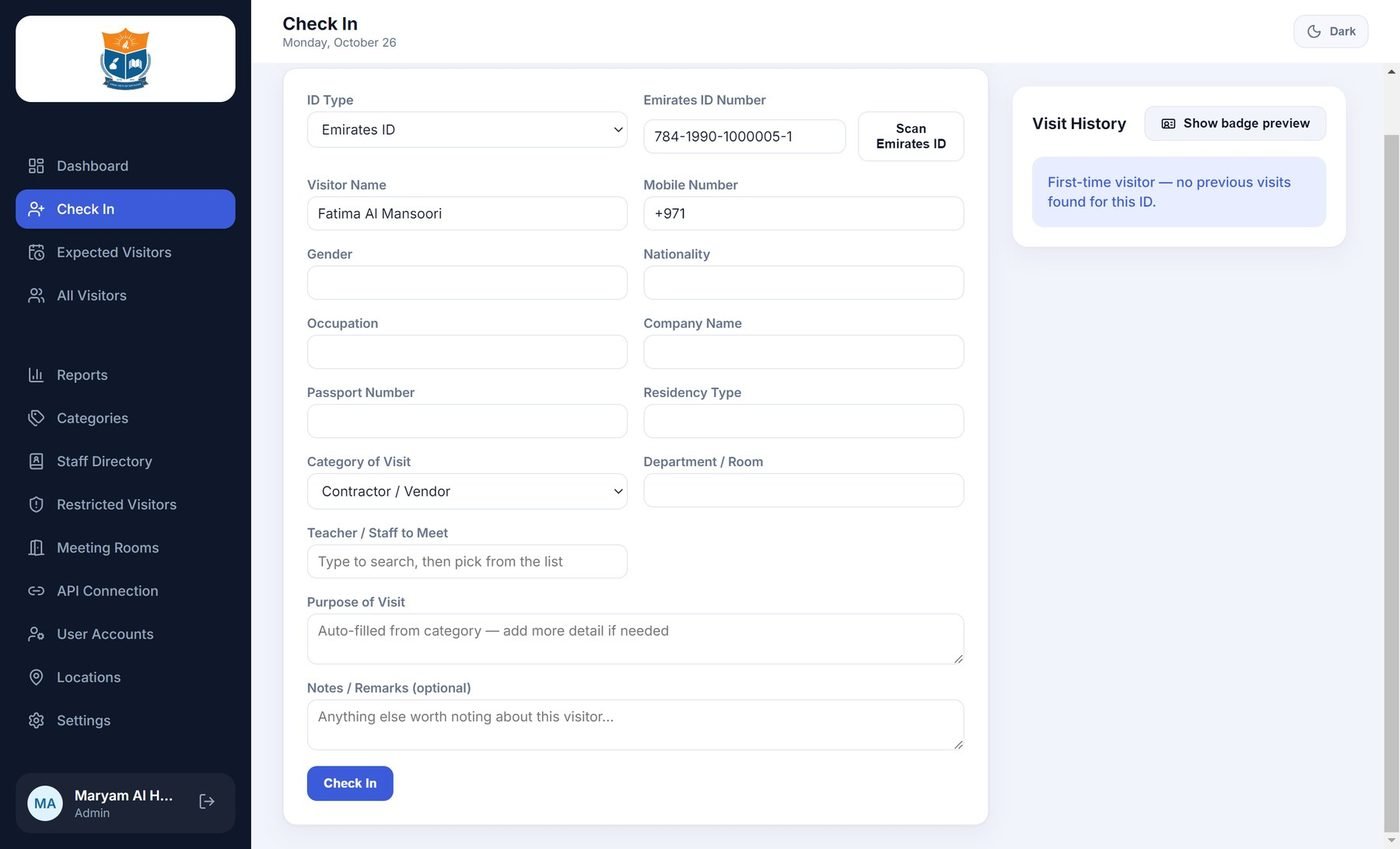
Check in within seconds
Read the Emirates ID and the form fills itself, or enter a passport or any other valid ID by hand. Returning visitors are remembered.
- Emirates ID, Passport and Other ID tabs
- Photo of the document kept for passports and other IDs
- Choose the teacher from your staff list
- A confirmation step prevents mistakes and double check-ins
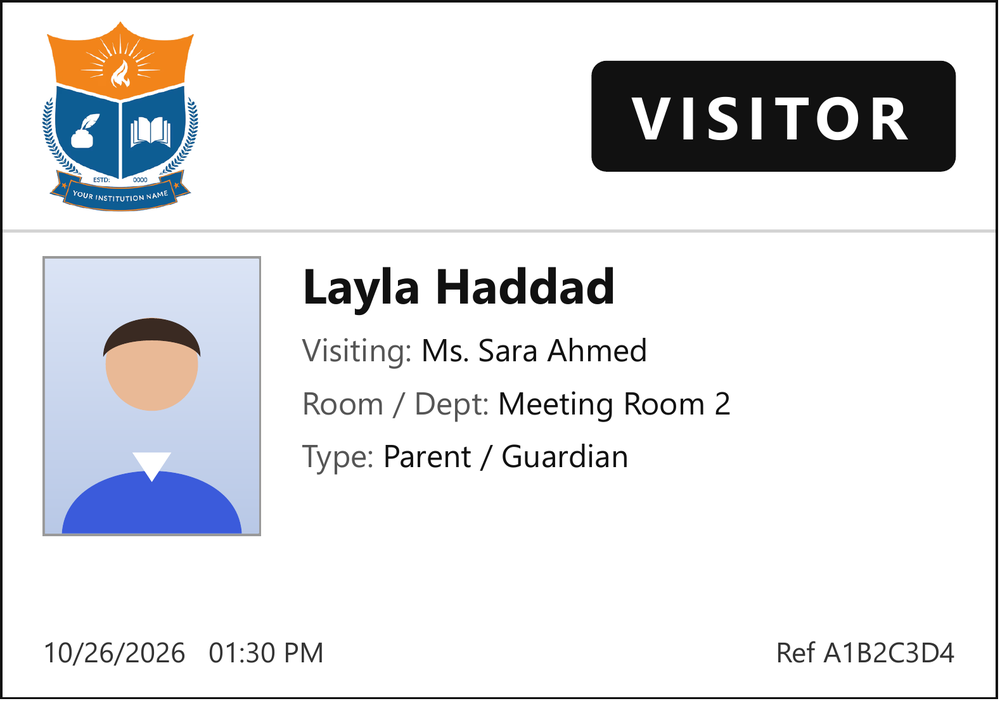
A badge with your school crest
Print a clean badge on any Windows printer: name, photo, date and the person being visited. The ID number is never printed on it.
- Your school logo on every badge
- Live preview as the guard types
- 100 × 70 mm label size
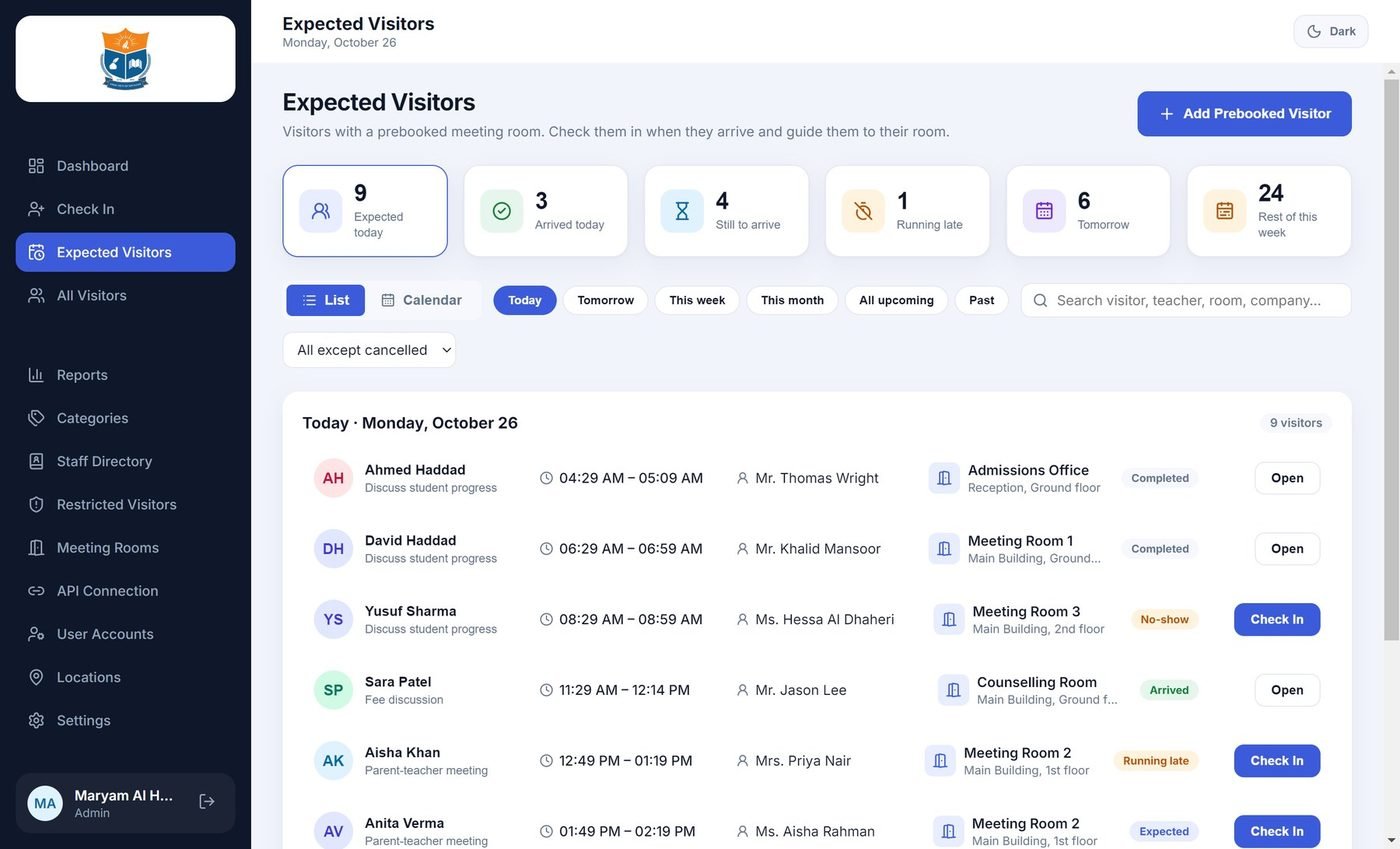
Know who is coming before they arrive
Parent-teacher meetings and appointments appear on the front desk list, with the room and floor on screen. Check them in with one click.
- List and calendar views
- Room and floor guidance for the visitor
- Late and missed visitors flagged automatically
- Connects to your meeting-room booking system
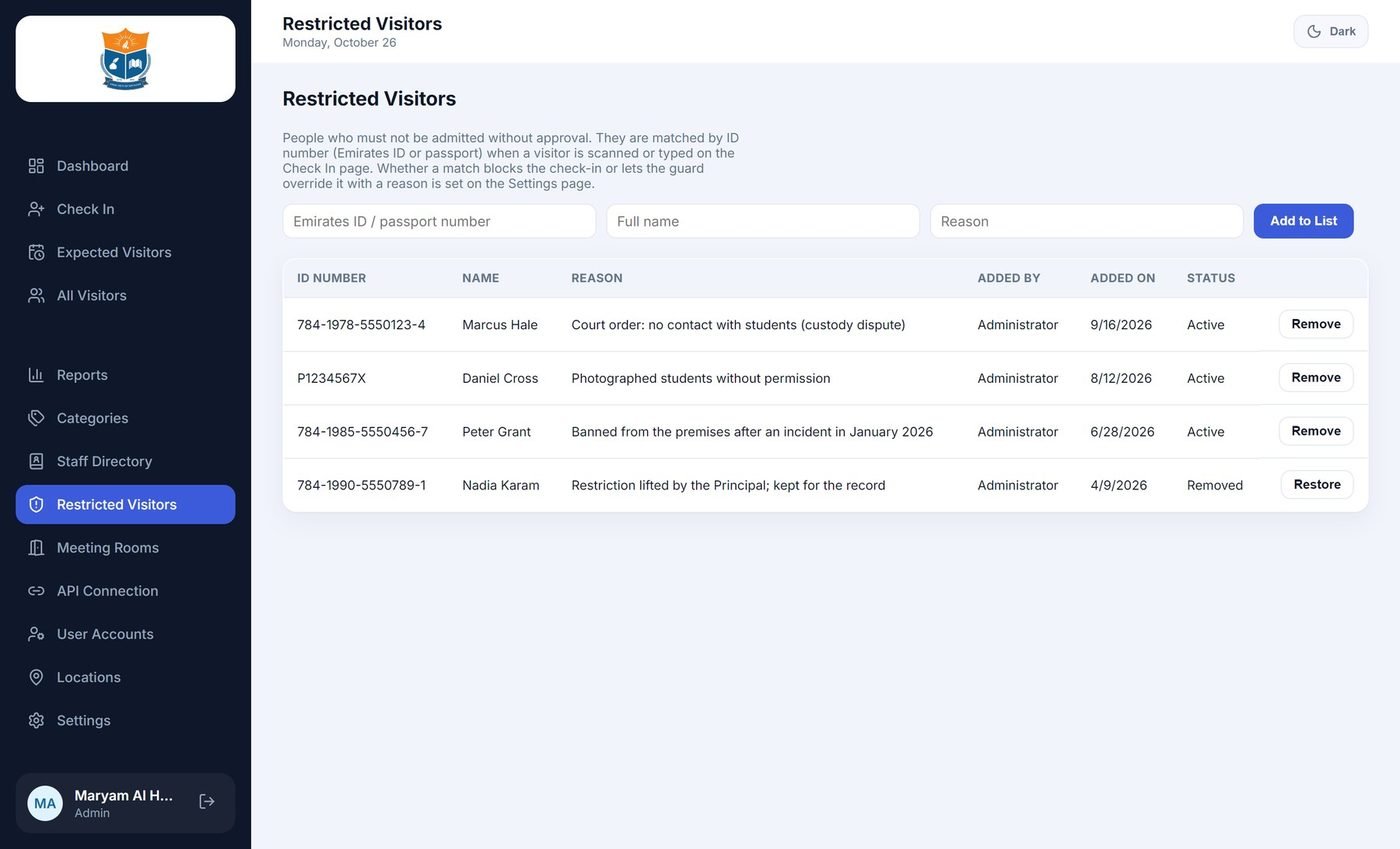
Instant alerts for restricted visitors
Keep a restricted list. When a matching ID is entered, the guard sees a clear warning, and you decide whether to warn or block.
- Warn or block, set by your administrator
- Every override recorded with who and why
- Visitors who stay too long are flagged
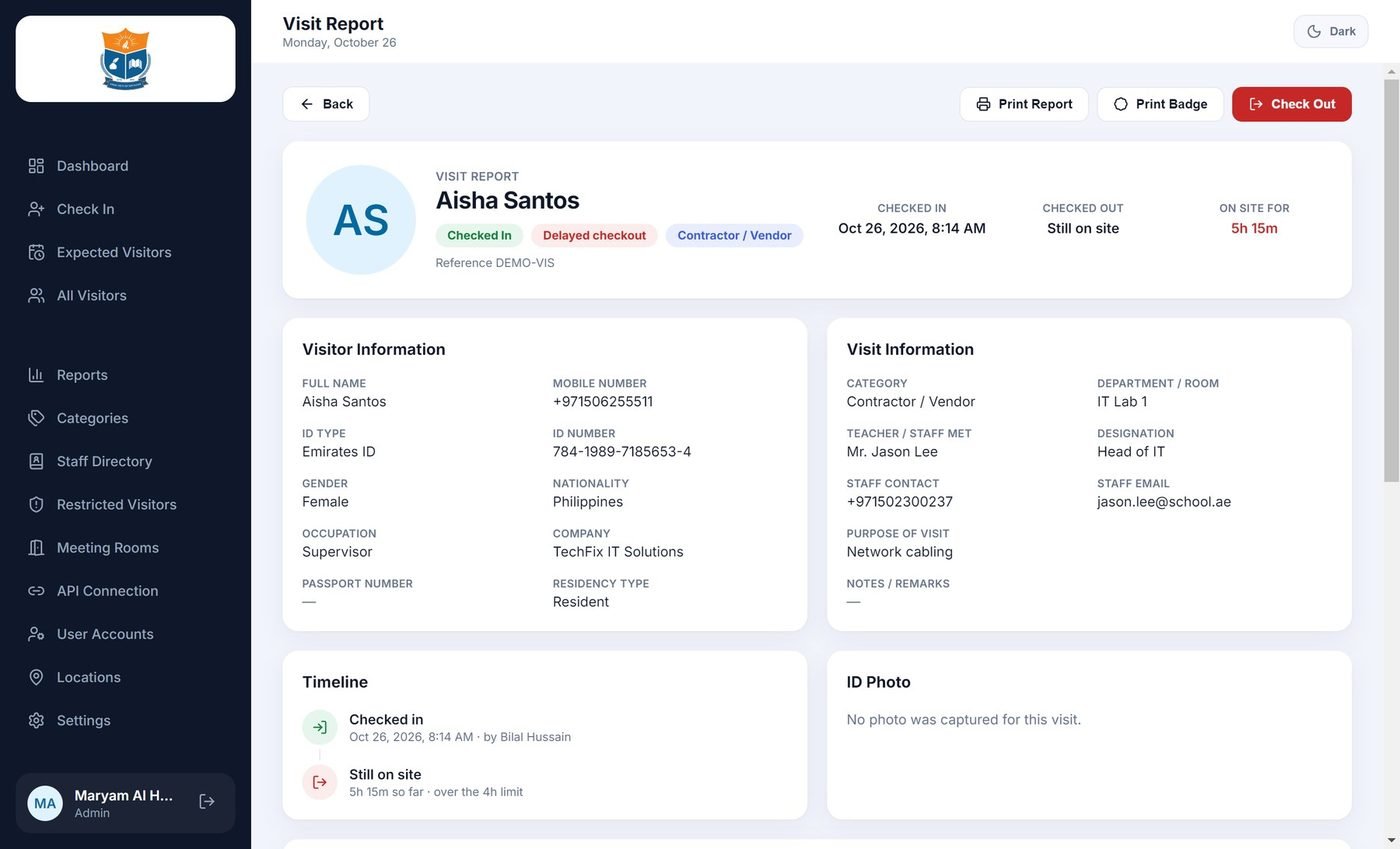
A complete record of every visit
Search by name, ID, date or teacher. Print a formal A4 visit report with the timeline, or export to Excel, CSV and PDF for school leadership.
- Full timeline for each visit
- Reports and exports for any date range
- Audit trail of who did what
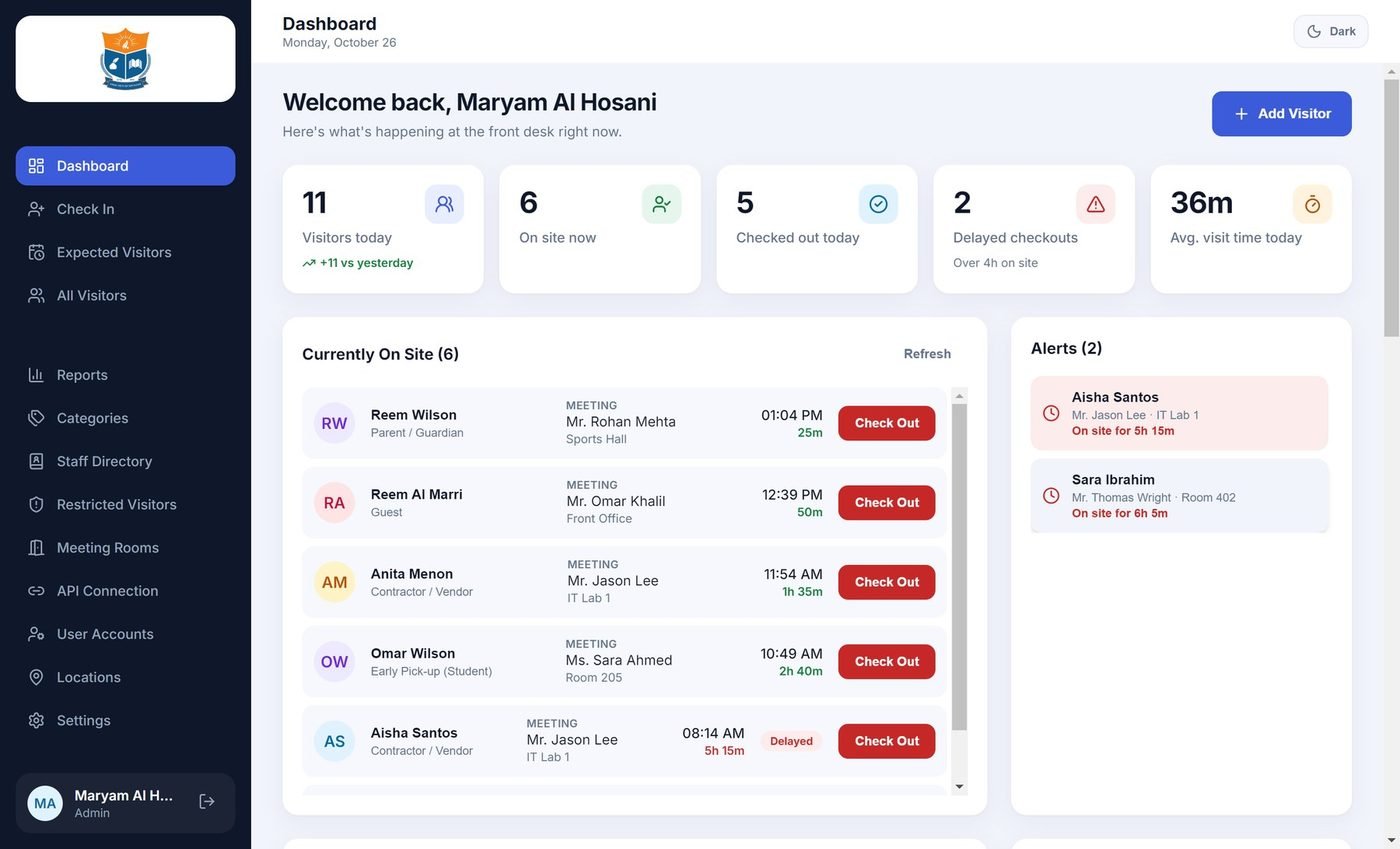
See the whole front desk at a glance
Currently on site, today's total, average visit time, alerts and delayed check-outs, all on one screen that updates as visitors come and go.
- Five live tiles
- Check visitors out from the list
- Light and dark themes
Small details that make it feel finished.
Staff directory
Import teachers and staff from Excel or CSV, with department and room.
Visitor categories
Parent, guest, contractor, late arrival and early pick-up, each with its own purposes.
Role-based access
Administrator and Guard accounts, each with their own sign-in.
Meeting rooms
Rooms and floors shown on screen so visitors find the right place.
Booking connection
A local API brings room bookings from your booking system, protected by a secret key.
Delayed check-out alerts
See who has stayed past the limit you set.
Passport and other ID
Visitors without an Emirates ID are checked in with a photo of their document.
Import and export
Staff lists in, visit data and reports out to Excel, CSV and PDF.
Only what you need. Nothing more.
We keep the fields needed to run a safe front desk and leave the rest out.
✓ What is kept
Name, ID number, gender, nationality, occupation, company, passport number, residency type and the cardholder photo.
✗ What is never stored
Home address, signature and biometric data. The ID number is never printed on the visitor badge.
Simple to run. Easy to look after.
| Platform | Windows desktop application (Windows 10 / 11, 64-bit), installed on the reception computer with a standard installer. |
| Data | A local database on the computer. No cloud account or subscription is needed, and it is simple to back up. |
| Card reader | PC/SC smart-card readers (tested with the HID OMNIKEY 3121). A reader is optional: visitors can also be entered by hand. |
| Emirates ID | Uses the official ICP toolkit. Requires a valid ICP licence and access to the ICP validation service. |
| Printing | Any Windows printer. Badges print at 100 × 70 mm; reports print on A4. |
| Integration | Local API connection on your school network for meeting-room bookings (JSON over HTTP, protected by a secret key). |
| Users | Administrator and Guard roles, each with their own sign-in. |
| Import / export | Staff lists in Excel or CSV. Visit data and reports to Excel, CSV and PDF. |
| Interface | English. Light and dark themes. |
Want to see these features live?
Book a 20-minute demo and we will walk through them on a real system.
Book a free demo →